Quizell August 2026 Update: Custom Quiz Domains & More
Product Updates
August was a busy month. Four things shipped: you can now publish a quiz on your own domain, every quiz answer sits on the customer profile alongside their full event timeline, the AI design editor got roughly twice as fast, and emojis and icons are available in the image gallery. Here's the two-minute round-up, then the detail on each one.
What shipped in August
- Custom quiz domains — publish your quiz on your own URL instead of a Quizell-hosted one.
- Enhanced customer profiles — every answer, every event, plus traffic source attribution through UTMs.
- Faster AI design editor — roughly 2× the speed and more accurate at matching what you asked for.
- Emojis and icons in the gallery — searchable, built in, no more hunting for a PNG.
All four are live now across every platform Quizell supports: Shopify, WooCommerce, Wix, Webflow, BigCommerce, WordPress and custom sites.
1. Publish your quiz to your own custom domain
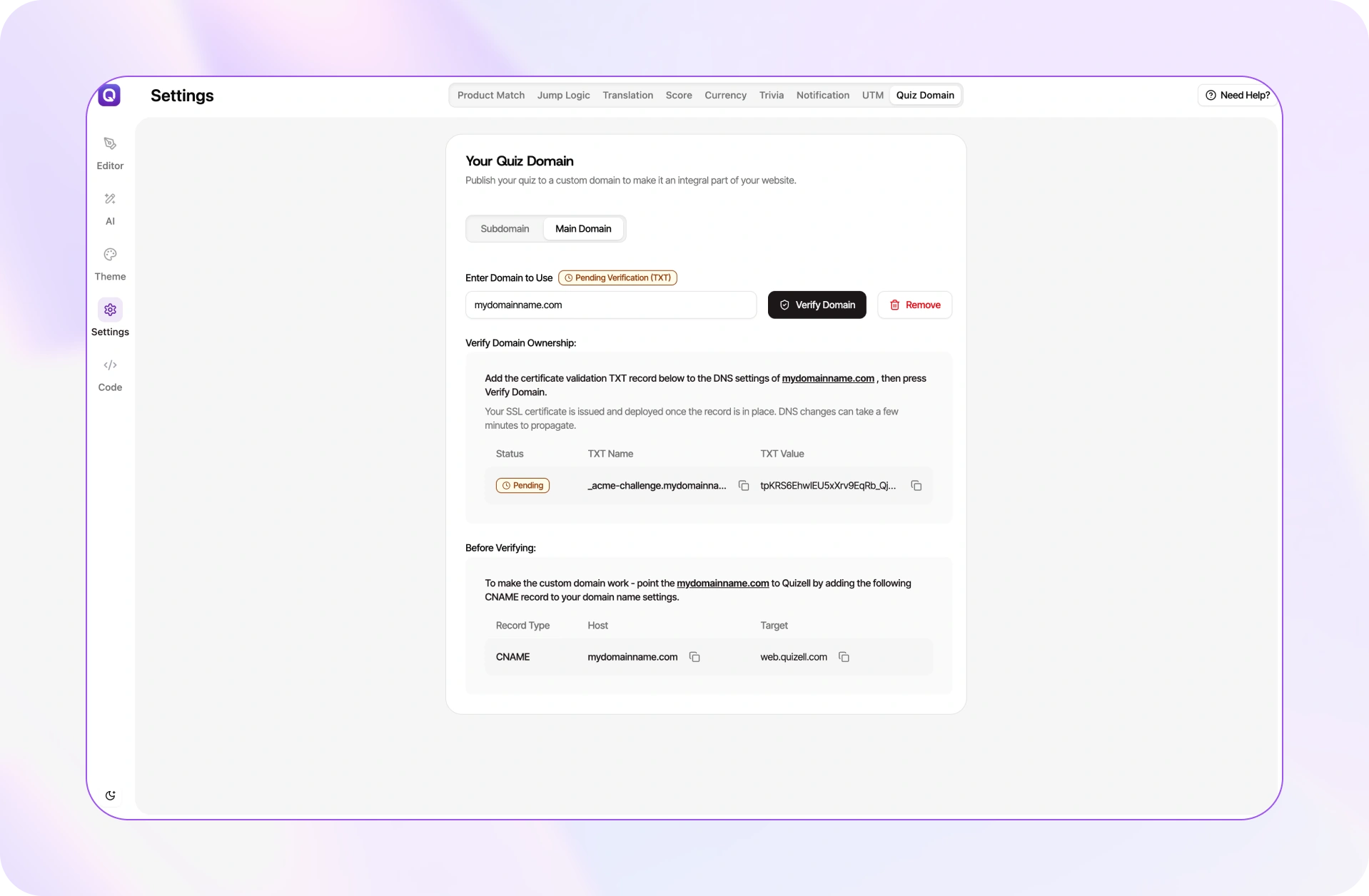
Until now, a quiz built in Quizell lived on a Quizell-hosted URL. That's fine for a widget embedded inside your store, but it showed up the moment you sent traffic to a standalone quiz page — from an ad, a QR code, an email, or a link in bio. Shoppers landed somewhere that didn't look like your brand, and the domain in the address bar said so.
You can now publish the whole product quiz experience to a domain you own.
Why it matters
- Trust. A branded URL in a paid ad or an email removes the "where am I?" hesitation that costs you clicks before the first question loads.
- Attribution and analytics. First-party traffic stays on your domain, so your analytics, pixels and consent tooling behave the way they do everywhere else on your site.
- SEO. A standalone quiz page on your own domain can earn links and rankings that a third-party URL never sends back to you.
How to turn it on
Set it once in your quiz settings and you're done. Full walkthrough: How to publish your quiz to a custom domain.
2. Enhanced customer profiles, now with traffic source attribution
Zero-party data is only useful if you can act on it, and acting on it means seeing it next to everything else you know about a shopper.
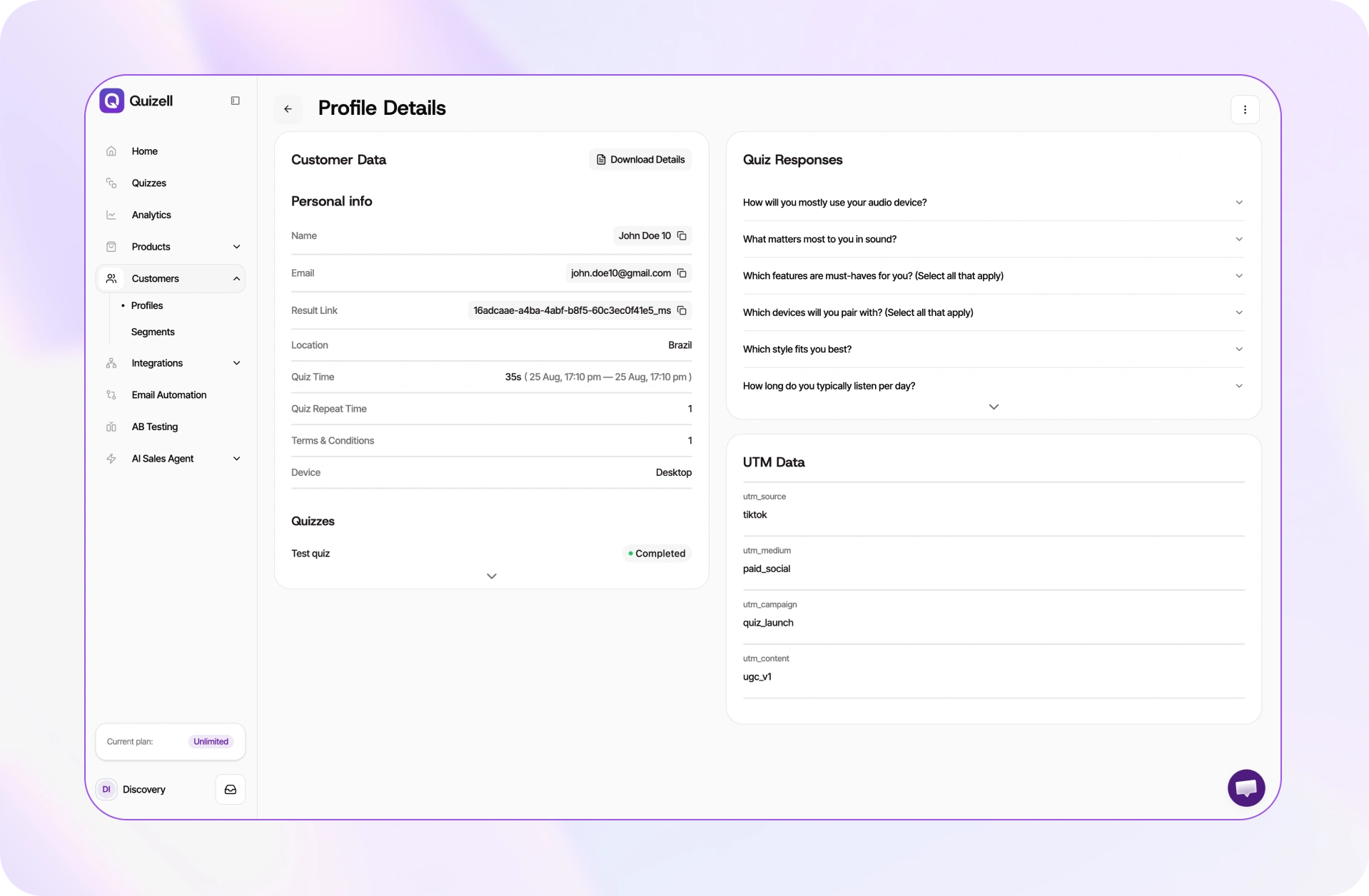
Every quiz answer now sits directly on the customer's profile, alongside their full event timeline: what they viewed, what they answered, and what got recommended to them. One record, one story.
We've also added traffic source attribution through UTMs. So you don't just know what someone told you — you know which campaign brought them in.
Why it matters
That combination closes a loop that used to require exporting two datasets and joining them by hand:
- Segment by intent, not just behaviour. "Viewed the product page" is a guess at what someone wants. "Told us they have curly, colour-treated hair and shop for their partner" is not.
- Attribute revenue to campaigns properly. If your Meta prospecting audience produces quiz takers who all self-report the same problem, that's a creative brief, not just a CAC number.
- Feed better data downstream. Profile data flows into the tools you already run — Klaviyo, Rebuy, HubSpot and 35+ other native integrations, plus 8,000+ through Zapier.
3. The AI design editor is roughly twice as fast
The AI design editor lets you restyle a quiz with a prompt instead of clicking through settings. The complaint was never what it did — it was how long you waited to find out whether it understood you.
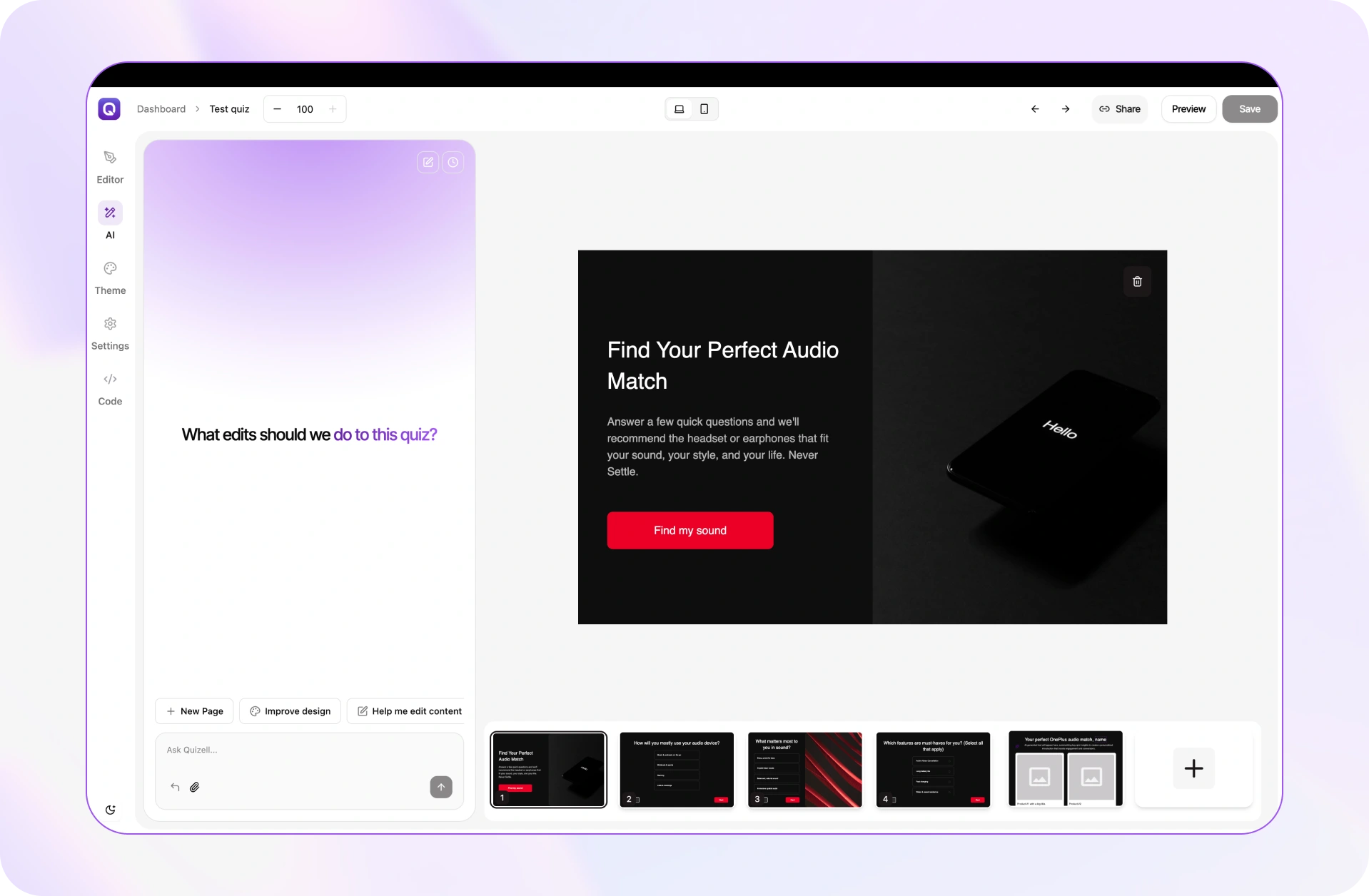
August's release is roughly twice as fast, and noticeably more accurate at matching what you actually asked for. Same feature, much less waiting.
The practical difference is that it becomes usable for iteration rather than one-shot styling. Asking for a tweak, seeing it, and asking for another is now a reasonable way to work.
Full walkthrough: How to use the AI design editor.
4. Emojis and icons are now in the image gallery
The smallest change in the release, and the one that removes the most friction per use.
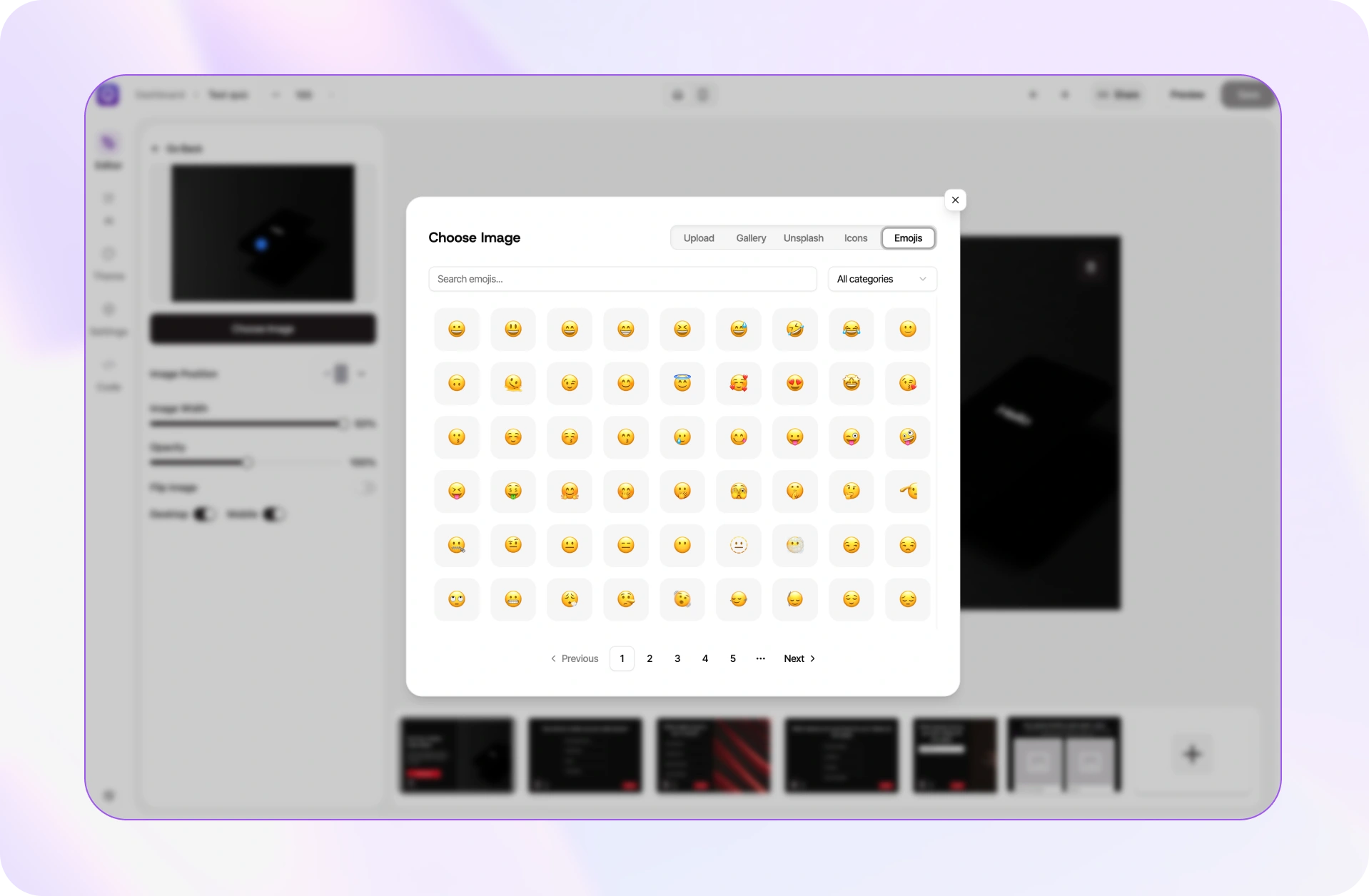
Emojis and icons are now searchable inside the image gallery. Search, click, done — no more finding a transparent PNG somewhere else and uploading it just to put a checkmark next to an answer option.
It matters more than it sounds. Answer options with a visual anchor are quicker to scan, which is exactly what you want in the middle of a quiz where drop-off compounds question by question.
Which update should you use first?
If you're running paid traffic to a quiz, start with the custom domain. It's a settings change that takes minutes and it affects every impression you're already paying for.
If your quiz is embedded in your store and converting well, start with customer profiles. The data was already being collected; this release is about finally putting it somewhere you'll look at it.
Watch the full round-up
The two-minute version is at the top of this page. Subscribe on YouTube for the monthly release round-up, or start free and try the custom domain on your own quiz.
Transcript
Intro. Hey! Welcome to the very first Quizell round-up. Every month I'll show you what's new — and August was a busy one.
What's new? So… what shipped in August? Four things. Enhanced customer profiles, a new quiz domain feature, a faster AI design editor, and emojis in the gallery.
Enhanced customer profiles. First up: customer profiles just got a lot more useful. Every quiz answer now sits on the customer's profile, next to their full event timeline — what they viewed, what they answered, what got recommended. And we've added traffic source attribution through UTMs. So you don't just know what someone told you — you know which campaign brought them in.
Quiz domain. Next: you can now publish your quiz to your own custom domain. So instead of sending people somewhere that doesn't look like you, the whole thing lives on your brand. Set it once in your quiz settings, and you're done.
AI design editor. The AI design editor also got a serious upgrade — it's roughly twice as fast now, and noticeably more accurate at matching what you actually asked for. Same feature, much less waiting.
Emojis and icons. And a small one to finish: emojis and icons are now in the image gallery. Search, click, done — no more hunting for a PNG.
Wrap-up. That's August.