What Is a Product Recommendation Quiz? (Complete Guide)
Marketing & Growth
If your customers are unsure what to buy, they won't buy anything.
A product recommendation quiz solves that problem by guiding shoppers to the right product based on their needs, preferences, and goals—automatically.
In this guide, you'll learn:
- What a product recommendation quiz is
- How it works step by step
- Why it converts better than traditional ecommerce experiences
- How to build one for your store
- How it fits into quiz funnels, personalization, and zero-party data strategies
What Is a Product Recommendation Quiz?
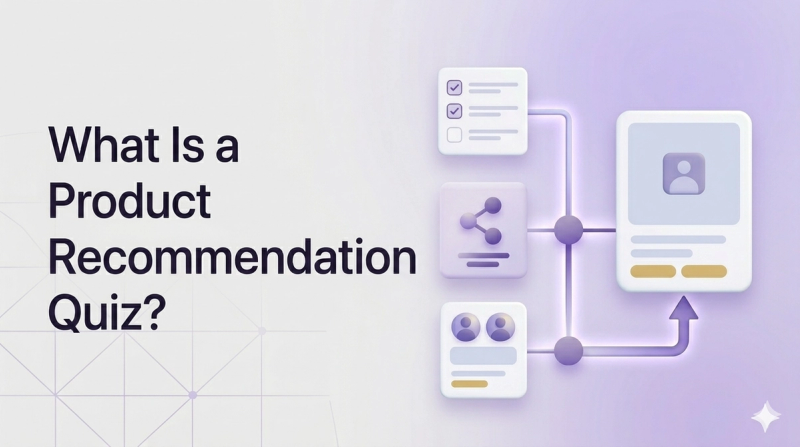
A product recommendation quiz is an interactive tool that asks shoppers a series of questions and uses their answers to recommend the most relevant products from your catalog.
Instead of forcing users to browse, filter, or guess, the quiz:
- Collects structured input from the user
- Matches it to predefined logic or AI models
- Outputs a personalized recommendation
This transforms product discovery into a guided experience.
Why This Matters More Than Ever
Modern ecommerce has a problem:
- Too many choices
- Too little guidance
This leads to:
- Decision paralysis
- Low conversion rates
- High bounce rates
A product recommendation quiz fixes all three by acting as a personal shopping assistant at scale.
What Does a Typical Quiz Look Like?
Most high-performing quizzes share these characteristics:
- 4–7 questions
- 60–120 seconds completion time
- Clear value proposition ("Find your perfect X")
- Personalized results page
- Optional email capture
Example flow:
- "What is your main goal?"
- "What is your biggest challenge?"
- "What's your preference?"
- → Personalized result
How Do Product Recommendation Quizzes Work?
A product recommendation quiz follows a structured decision system.
1. Entry Point (Hook)
You present a clear promise:
- "Find your perfect routine in 60 seconds"
- "Get personalized recommendations"
This is critical for conversion.
2. Question Flow (Data Collection)
Each question captures meaningful input:
- Needs
- Preferences
- Context
Using conditional logic, the quiz adapts: different answers lead to different paths.
3. Logic Layer (Decision Engine)
This is the core of the system.
Each answer maps to:
- Tags
- Scores
- Product categories
Example:
- "Dry skin" → hydration products
- "Acne-prone" → treatment products
4. Result Generation
The system outputs:
- 1–3 product recommendations
- Personalized messaging
- Clear CTA
5. Data Capture and Sync
All answers become zero-party data that can be synced with your marketing tools.
Why Product Recommendation Quizzes Convert So Well
1. They Remove Decision Paralysis
Too many options = no decision.
Quizzes reduce:
- Cognitive load
- Time to decision
2. They Increase Trust
A personalized recommendation feels relevant, intentional, and helpful—not salesy.
3. They Capture High-Intent Users
Users who complete a quiz are engaged and have clear intent.
Typical benchmarks:
- 40–60% email capture rate
- Higher conversion vs popups
4. They Reduce Returns
Better recommendations = better fit = fewer returns.
5. They Generate Zero-Party Data
Every answer is explicit, accurate, and actionable—critical for cookieless marketing strategies.
Product Recommendation Quiz vs Other Tools
Quiz vs Filters
Filters require knowledge and are static. Quizzes guide users and are adaptive.
Quiz vs Algorithmic Recommendations
Algorithms are based on others. Quizzes are based on the individual.
Quiz vs Live Chat
Live chat is manual, expensive, and limited. Quizzes are automated and scalable.
Quiz vs Email Popups
Popups interrupt. Quizzes provide value.
What Types of Products Work Best?
Quizzes perform best when the right choice depends on the user.
Top categories:
- Skincare
- Supplements
- Fashion
- Pet products
- Home decor
- Gifts
The Role of Personalization
A product recommendation quiz is one of the most powerful personalization tools available.
It enables:
- Real-time personalization
- Behavioral segmentation
- Dynamic recommendations
How to Build a Product Recommendation Quiz
Step 1 — Define Your Goal
- Sales
- Leads
- Both
Step 2 — Map Customer Profiles
Group users into segments:
- Profile A → Product A
- Profile B → Product B
Step 3 — Write High-Quality Questions
Best practices:
- Outcome-focused
- Short
- Visual
Step 4 — Build Logic
Connect answers to outcomes.
Step 5 — Design Results
Include:
- Personalized headline
- Product recommendations
- CTA
Step 6 — Connect Integrations
- Email platforms
- Analytics tools
Step 7 — Launch and Promote
Use:
- Homepage
- Ads
Best Practices
- Keep under 2 minutes
- Use conversational language
- Show progress
- A/B test everything
Common Questions
How Many Questions Should a Quiz Have?
4–7 questions.
Where Should I Place It?
Homepage, navigation, product pages.
Should I Gate Results?
Yes, for lead generation.
Does This Work for B2B?
Yes—especially for qualification.
What Happens Next
Once live, your quiz becomes:
- A conversion engine
- A data engine
- A personalization engine
Conclusion
A product recommendation quiz is not just a feature.
It is:
- A sales tool
- A data collection system
- A personalization engine
And increasingly: a core part of modern ecommerce strategy.
Ready to Build Your Quiz?
With Quizell, you can:
- Build without code
- Integrate with Shopify
- Capture zero-party data
- Optimize with analytics