How to Find Shopify Stores Using Product Quizzes (and What to Learn From Them)
E-commerce & Product Quizzes
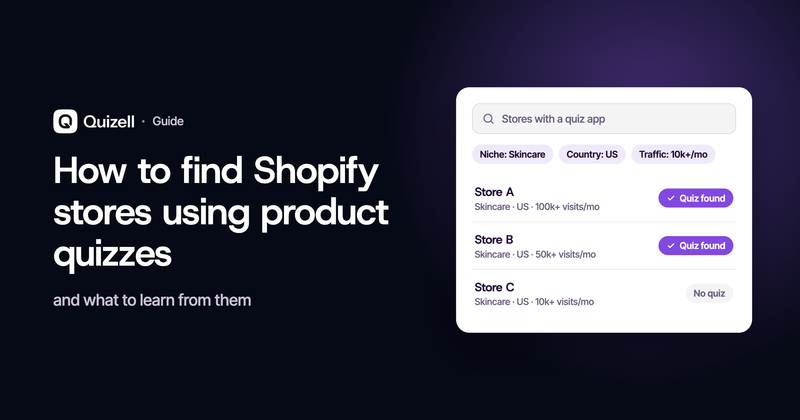
Before you build a product quiz, it is worth finding out who in your category already runs one and how well it works. The information is public. Every app a store runs on its storefront announces itself in the code that store serves to every visitor, which means you can see the quiz, take it, and work out what it is doing without asking anyone.
This guide covers how to find those stores, what to record once you have found them, and which parts of the research actually change what you build.
What you are actually trying to learn
Competitor research goes wrong when it has no question behind it. You end up with a list of app names and no idea what to do with it.
Three questions are worth answering before you start:
- Do stores like mine run a quiz at all? If nobody in your category does, that is either an opportunity or a signal that the format does not suit the purchase. Both are useful to know.
- Where do they put it, and how do people reach it? A quiz in the main navigation is a different bet from a quiz that only exists on one collection page.
- What does it ask, and what does it recommend? This is the part that changes your own build, and the part most research skips.
The first two are tooling questions. The third you answer by taking the quiz yourself.
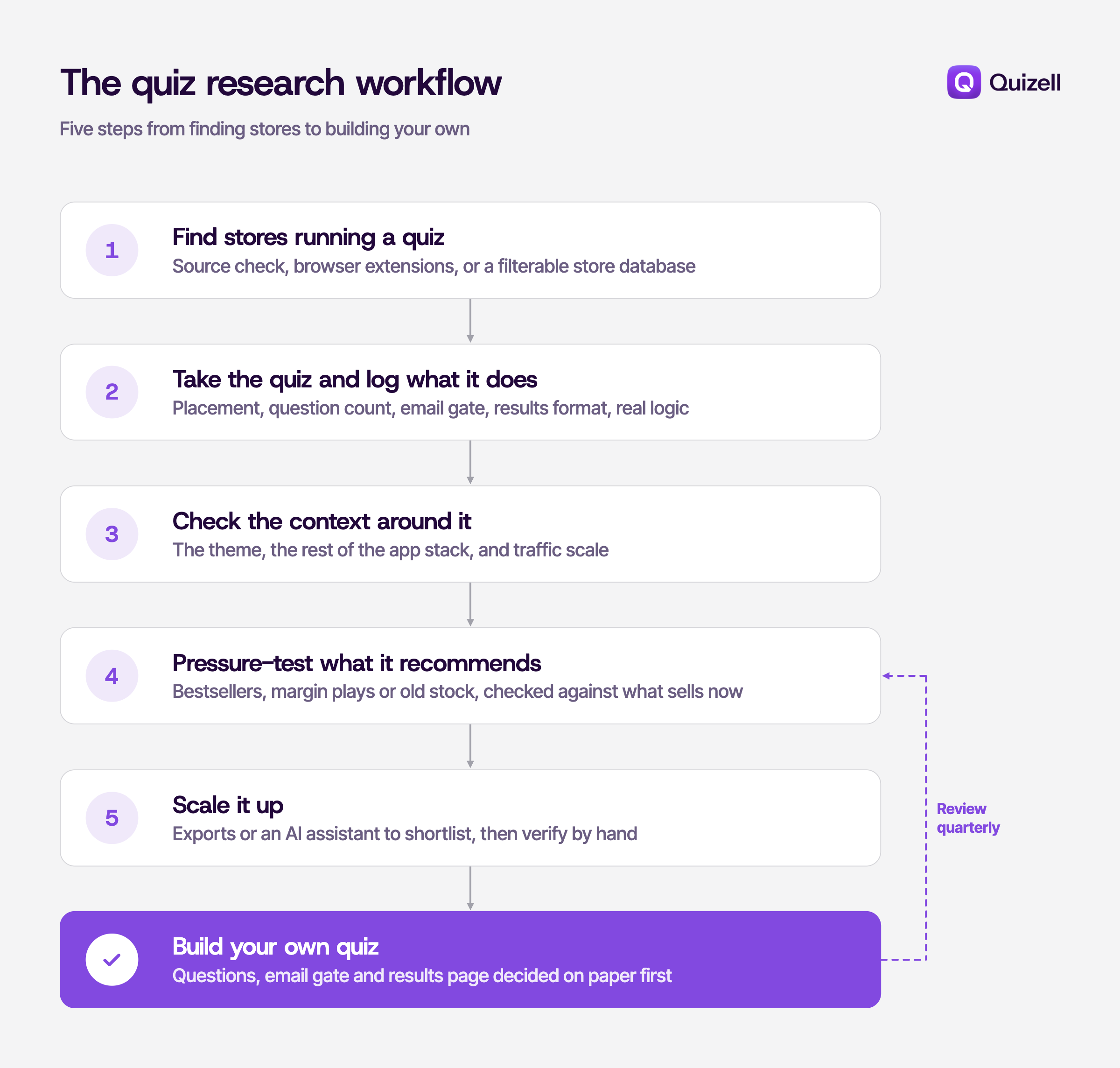
Step 1: Find stores in your niche running a quiz
There are three routes, and which one you want depends on whether you are checking a single store or building a list.
Checking one store you already know about. Open the store, view the page source, and search it for the paths apps inject code through, usually /apps/ or a script hosted on an app's own domain. Quiz apps tend to be easy to spot because they also leave a visible page, so a quick check of /pages/quiz, /pages/find-your-match or a link in the main navigation often gets there faster than reading code. This costs nothing and takes about two minutes.
Checking stores one at a time, quickly. Browser extensions read the same public code and return a tidy list. Koala Inspector is the most thorough for Shopify specifically and also surfaces product and theme data. Wappalyzer and BuiltWith are broader technology detectors that work across platforms but are less precise on individual Shopify apps. The EcomScout extension sits in the same category and adds traffic and revenue estimates alongside the app stack, which is useful when you are trying to judge whether a store is big enough to learn from.
Building a list rather than checking one store. This is where single-store tools stop being practical. If you want every skincare store in the US running a quiz app, you need something searchable. EcomScout's analytics platform lets you filter stores by installed app, niche, country and traffic. Storeleads and BuiltWith's own lists do something similar at a larger scale and a higher price.
What none of these tools can tell you
App detection reads the storefront, so it only sees apps that touch the storefront. Email platforms, fulfilment tools, helpdesks and anything running server-side usually will not appear. Treat any result as a strong signal rather than a complete inventory, and expect a false negative now and then when a store has customised an app's output heavily enough to hide its fingerprint.
None of this involves anything private. You are reading the same code your browser downloads to display the page.
Step 2: Take the quiz and write down what it does
Knowing a store uses a quiz app tells you almost nothing. The app name is the least interesting fact about the implementation. What matters is the set of decisions the merchant made inside it, and the only way to see those is to go through the quiz as a shopper.
Run it twice, answering differently each time. Then record these:
| What to check | Why it matters |
|---|---|
| Where the quiz sits | Homepage hero, main nav, collection page, product page, or a popup. Placement tells you how much traffic they are willing to send through it. |
| Number of questions | Most quizzes that convert sit between four and eight. Longer ones usually exist to collect data, not to recommend. |
| Question type | Preference ("what look do you want"), diagnostic ("what is your skin doing"), or demographic. Diagnostic questions build more trust but need real logic behind them. |
| Email gate position | Before results, after results, or skippable. Gating before results lifts capture and costs completions. Which trade they made tells you what the quiz is for. |
| Results format | One hero product, a ranked set of three, or a bundle. Bundles raise average order value but need the logic to justify the grouping. |
| Whether logic is real | Answer contradictory ways. If you get the same recommendation both times, the quiz is decorative. This happens more often than you would expect. |
| Add to cart behaviour | Does the result page add straight to cart, or bounce you to a product page? The second loses people. |
| What happens after | Do you get an email? How fast, and does it repeat the recommendation? |
The contradictory-answers test is the one worth doing on every store you look at. A surprising number of quizzes in the wild are email capture with a questionnaire attached, and once you know which ones those are, you know which stores are actually worth copying.
Keep the notes in a spreadsheet, one row per store. Five or six stores is enough to see the pattern in a category.
Step 3: Check the context around the quiz
A quiz you admire on someone else's store may not be reproducible on yours, and it rarely works on its own. Two checks are worth the time.
The theme. If the quiz is embedded in a custom section on a heavily modified theme, replicating the layout is a development job rather than an app install. Theme detectors read the same public code as app detectors and name the theme a store runs, which tells you roughly how much of what you are looking at is the app and how much is custom work. EcomScout's theme detector does this for Shopify stores, as do several free alternatives. If the answer comes back as a standard theme on Online Store 2.0, whatever you are looking at is probably within reach.
The rest of the stack. A quiz almost never drives revenue alone. Look at what sits around it: the review app whose star ratings appear on the results page, the email platform that picks up the capture, the upsell app that handles the post-purchase offer. A quiz that recommends a product with no social proof underneath it converts worse than the same quiz on a store with 400 reviews per SKU, and that difference has nothing to do with the quiz.
It is also worth checking scale before you draw conclusions. A clever quiz on a store doing 2,000 sessions a month is an experiment. The same quiz on a store doing 200,000 has survived contact with real traffic. Most detection tools now give at least a traffic tier, which is enough to tell the two apart.
Step 4: Pressure-test the products the quiz recommends
This is the step most people skip, and it is the one that affects your own revenue most directly.
When you run a competitor's quiz, note which products come out the other end. Then ask whether those are the products you would expect. A quiz is a recommendation engine, and merchants point it at different things depending on what they are trying to do:
- Bestsellers. Safe, usually correct, and the default if the quiz was set up once and left alone.
- High-margin products. The quiz is doing margin work, not just conversion work. Worth noticing if the recommendation feels slightly off relative to the answers you gave.
- Slow-moving stock. Occasionally a quiz is quietly clearing inventory. You can usually tell because the recommendation does not change much however you answer.
The lesson for your own build is not which products to pick. It is that quiz logic goes stale. A quiz configured around a catalogue that has since turned over is recommending products that stopped selling, and nobody notices because the quiz still works.
So before you decide what yours should recommend, check what is actually moving in your category right now. EcomScout's trending products tool is one way to see what is selling across Shopify stores in a niche. Google Trends covers demand at the search level, and your own Shopify reports tell you what is moving in your store, which matters more than either. Then put a reminder in the calendar to review the quiz logic quarterly.
Step 5: Doing this at scale without the manual work
Everything above works fine for ten stores. At a hundred it stops being research and starts being data entry.
Two routes scale it. The first is exports: most of the database tools will give you a CSV of stores matching a filter, which you can join against your own list in a spreadsheet. Unglamorous and reliable.
The second is connecting the data to an AI assistant so you can ask questions in plain language instead of building filters. Several of these tools now expose an MCP server, which lets Claude or ChatGPT query the dataset directly — EcomScout's is one, and Apify hosts similar actors for Shopify store analysis. You end up asking things like "which US skincare stores use a quiz app and get more than 100k visits a month" and getting a list back, rather than clicking through filters.
One caveat worth stating plainly: this is good for shortlisting and bad for conclusions. The underlying detection has the same blind spots it always had, and an assistant will present an incomplete answer as confidently as a complete one. Use it to build the list of stores, then go and take the quizzes yourself.
What this research usually shows
Do this across a category and the same things tend to surface.
Most quizzes are shorter than people expect. The instinct when building one is to ask everything you might want to know. The ones still running a year later ask four to eight questions. Every additional question costs completions, and the drop compounds.
The email gate is where the strategy shows. A quiz that gates results behind an email is a list-building tool that happens to recommend products. A quiz that shows results first and offers to email them is a merchandising tool that happens to collect emails. Both are valid. Merchants get into trouble when they have not decided which one they are building.
Placement predicts volume more than quality does. A mediocre quiz linked from the main navigation gets taken far more often than an excellent one buried on a landing page. If you only change one thing after this research, change where yours sits.
Few quizzes get revisited. You will find quizzes recommending discontinued products, quizzes whose branding predates a rebrand, quizzes with broken result images. The quiz is treated as a project rather than a surface, and it rots quietly because nothing visibly breaks.
The best implementations do something with the answers. The weak ones end at the recommendation. The strong ones feed what the shopper said into the email flow, the next session on site, and the customer record, so the second visit is not a cold start.
Building your own
The research gives you three decisions to make before you open a quiz builder: how many questions, where the email gate goes, and what the results page shows. Make those on paper first. The build itself is the easy part.
Quizell handles the build on Shopify, WooCommerce, Wix, Webflow, BigCommerce, WordPress and custom sites, and pushes the answers into the customer profile and your email platform so the data does not stop at the results page. If you would rather start from something that already works, the template library covers the common category patterns.
Whichever tool you use, put the quarterly review in the calendar now. That is the step everyone skips.
Frequently asked questions
Can you see every app a store uses?
No. Detection reads the storefront code, so it finds apps that render something on the page. Email platforms, fulfilment tools, helpdesks and most server-side integrations will not show up. Treat the result as a strong signal, not a full inventory.
Is it legal to check what apps a store runs?
Yes. A detector reads the same public page code your browser downloads to display the store. Nothing private is being accessed.
How many questions should a product quiz have?
Four to eight for most categories. Fewer if the purchase is simple, more only if the extra questions genuinely change the recommendation. Every question you add costs completions.
Does any of this require Shopify?
The detection tools are mostly Shopify-focused because Shopify's app ecosystem leaves the clearest fingerprints. The research itself applies to any platform, and taking the quiz manually works anywhere.
Should the email gate come before or after the results?
It depends what the quiz is for. Gating before results captures more emails and loses completions. Showing results first converts better and captures fewer addresses. Decide which one you are optimising for before you build, not after.