How to Build a Personality Quiz Using Quizell
Quiz Creation & Optimization
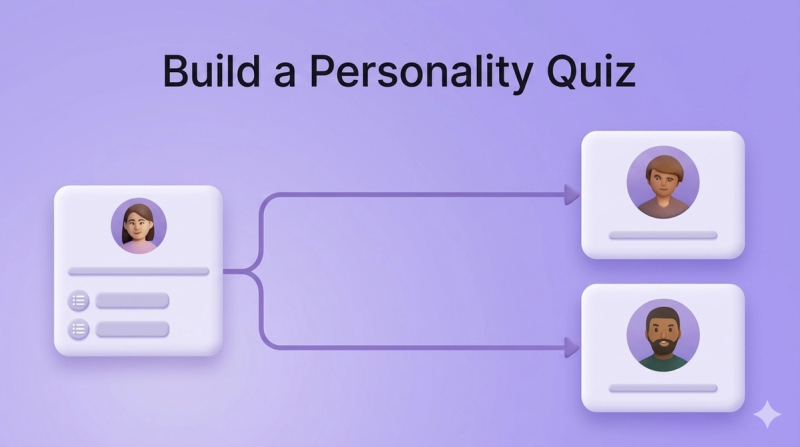
Looking for an easy-to-use personality quiz tool or software? With Quizell, you can create engaging personality quizzes that captivate your audience and generate valuable leads. While Quizell is widely known as a product recommendation quiz builder, you can also build personality quizzes on our platform. In this article, we’ll show you exactly how.
Option 1: Match Personalities as Products
This method allows you to match each personality type with a product or recommendation in your system. Here’s how to create your personality quiz:
- Add Personalities as Products:
- In Quizell, navigate to your dashboard and add each personality type as a product in your system.
- Customize these products with names, images, and descriptions to represent the different personality types.
- Match Products with Quiz Answers:
- Use Quizell’s intuitive matching system to associate specific quiz answers with corresponding personality types.
- For example, if a user selects answers that indicate they’re creative and spontaneous, match them with the "Explorer" personality.
- Test the Flow:
- Preview your quiz to ensure the answers correctly match the personality products.
- Make adjustments if needed to refine the quiz logic.
- Publish and Share:
- Once satisfied, publish your quiz and share it with your audience on social media, email campaigns, or your website.
For a detailed guide, check out our Help Center article on creating a recommendation quiz for services.
Option 2: Use Scores to Show Personality Results
This method relies on a scoring system to display different personality outcomes based on the user’s total score. Here’s how you can implement this:
- Set Up Quiz Questions with Scores:
- Assign points to each answer option in your quiz.
- For example, if you’re creating a quiz about work styles, assign higher points to answers that align with analytical thinking and lower points to creative tendencies.
- Define Score Ranges:
- In Quizell, set up score ranges that correspond to different personality types.
- For instance:
- 0-10 points: "The Dreamer"
- 11-20 points: "The Strategist"
- 21-30 points: "The Visionary"
- Customize Results Pages:
- Design unique results pages with specific text, images, and calls to action for each score range.
- This is where you can add a personal touch to resonate with your audience.
- Preview and Optimize:
- Test the quiz to ensure the scoring system works as intended.
- Adjust score ranges or results as needed to enhance the user experience.
- Launch Your Quiz:
- Once ready, share your quiz across your channels and watch the engagement roll in.
For a comprehensive walkthrough, visit our Help Center article on how the score quiz feature works.
Tips for a Successful Personality Quiz
- Keep it Fun and Relatable: Use engaging and conversational language in your questions and results.
- Use Eye-Catching Visuals: Add high-quality images that represent your brand and personality types.
- Promote Widely: Share your quiz on social media, email newsletters, and your website to maximize reach.
- Analyze Results: Use Quizell’s analytics to track quiz performance and improve future quizzes.
With Quizell, building a personality quiz is straightforward and effective. Whether you choose to match personalities as products or use a scoring system, your quiz can become a powerful tool for audience engagement and lead generation. Start building your personality quiz today and discover why Quizell is the best personality quiz software for your needs!